


We’ve had the opportunity to explore the new ASIO email connector and wanted to share some thoughts on our journey so far. When the connector was first announced at IT Nation Connect, we—like many others—were genuinely excited. It felt like a huge step forward, and we eagerly awaited its release, much like kids counting down to Christmas morning.
Once available, we dove in right away. Our first attempt led to a few unexpected errors, which we escalated through proper support channels. After a few months and some persistence, we successfully configured our first ASIO connector. Encouraged by that win, we made the decision to fully transition from our Office 365 connections—no small task, with 29 connections and several including complex parsing logic. (We do love automation!)
While we hoped this would be a smooth switch, we did run into challenges along the way. It’s not quite the celebration blog we envisioned—but we believe it’s important to share the experience for the benefit of others considering the change.
We’ve documented some of our findings in the following blog posts:
Since those initial posts, we’ve temporarily rolled back to the Office 365 connectors after a few more ASIO implementation attempts didn’t go as planned. A couple of notable challenges included:
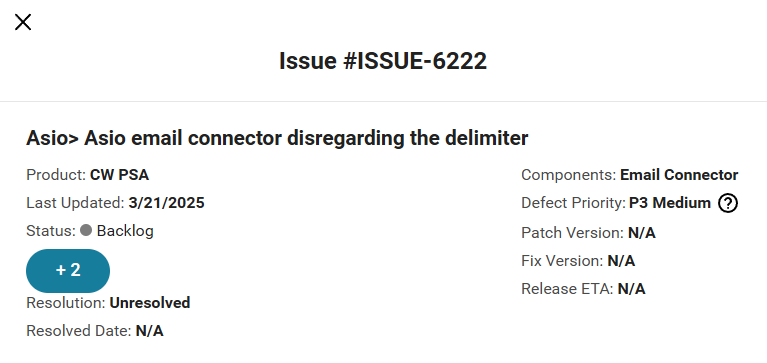
Text delimiters being disregarded, which caused entire ticket threads to repopulate rather than appending just the new notes
API timeout errors during processing
We understand that new features take time to evolve, and we appreciate the efforts of the ConnectWise development team. Our goal in sharing this is simply to help others be informed and prepared should they experience similar issues.
For those curious, here’s the current list of Known Issues from ConnectWise Home that relate to ASIO email connectors:

We’ll update this blog once there is a “working” resolution from ConnectWise.




