There are many reasons to give clients a discount on products and services; acquiring a new client, working a deal for a large agreement, good will and many other popular reasons. Discounts can be beneficial, but if done incorrectly, can also set a bad precedent for assumed future discounts.
A common practice when giving discounts is to simply adjust the price, thus giving the discount. While this works, there is no record of the discount and the client feels this is the regular price. If your company has a sales team, managing discounts might pose an issue as well if “checks & balances” are not in place.
Option 1: Perform a write back using a duplicate products. This method will write the discount back to the the original product income account, and will show a visual discount on the invoice. The net result is a reduction of income seen in your product income account.
In this example, we are creating a Miscellaneous Invoice for a product sale. A discount is being given to lower the price of the product. Using a second product will decrement the retail purchase price and visually show that a discount was given.
Step 1: Add the product to be sold.
Step 2: Add the same product again.
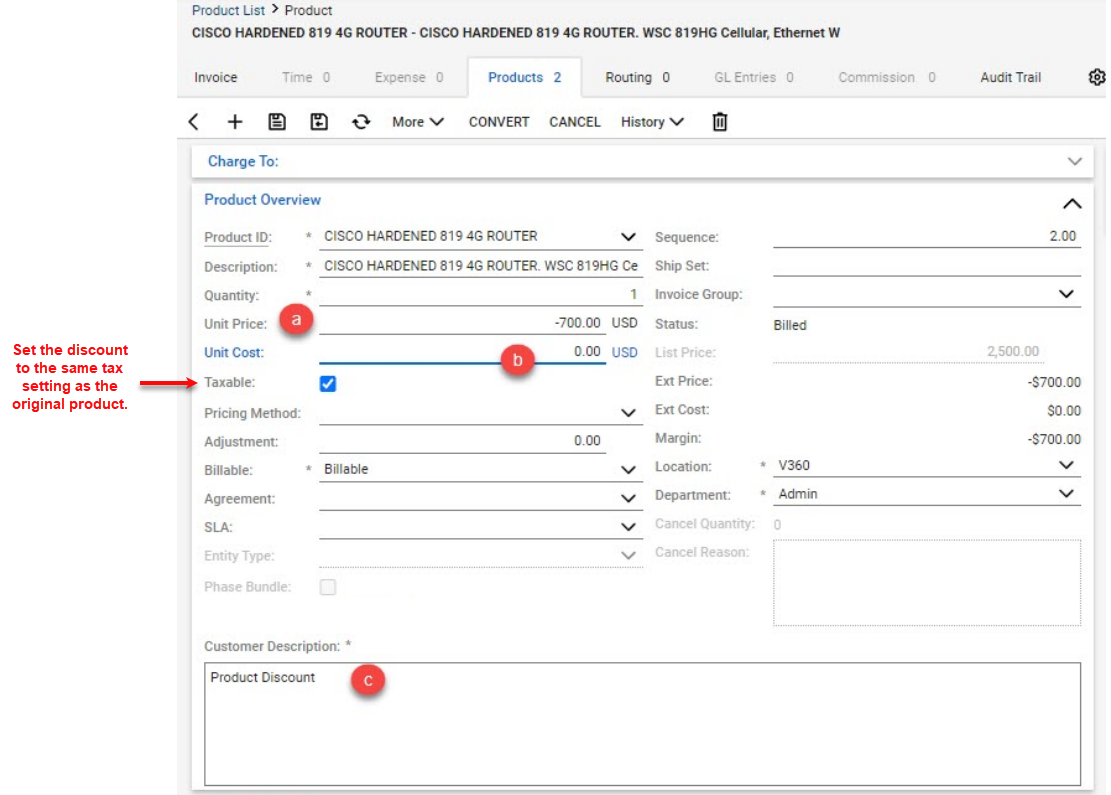
Step 3: On the second product, make the following changes.
a. Replace the Unit Price with a negative number, reflecting the discount amount. b. Remove the Unit Cost, this line should be blank. c. Remove the current description, replacing with Product Discount or any verbiage desired.
Step 4: Save and Close this product.
Repeat this process if additional products and discounts are being given.
Option 2: Create and use products specifically designed to give discounts. These products are setup in your product catalog and map the discount as negative income to the proper accounts.
There are two mapping methods when it comes to the General Ledger mapping.
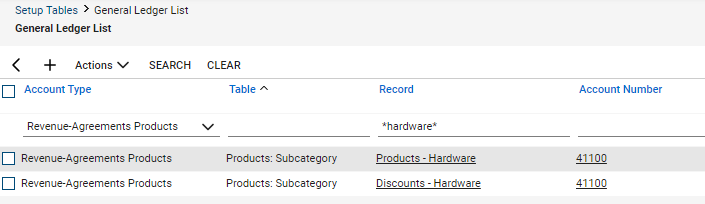
A. Map the discount product to your standard product income account. This will decrement the revenue resulting in the true net revenue.
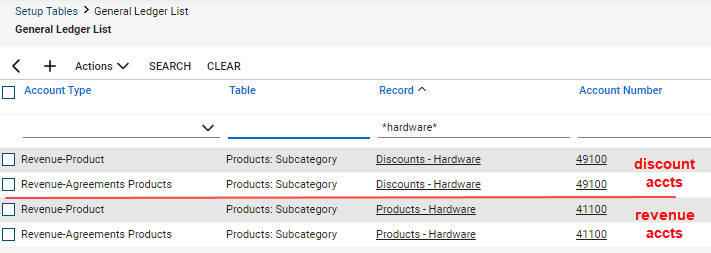
B. Map the discount product to a separate discount account in your accounting package. Having a separate account for discounts give you greater visibility into how much revenue is being lost as a result of one time or ongoing discounts..
This method requires accounts to be created in your accounting software, new product categories/sub-categories in Manage, and mapping set-up between them..
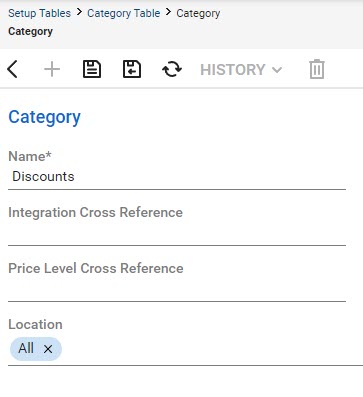
Create a category named Discounts
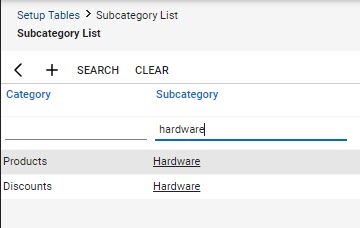
Create a sub-category named hardware.
Regardless of which mapping method is used, you will need to create new product categories and sub-categories in Manage. Here we create a new category “Discount and new sub-category “Hardware”.
Option A Shown:
Map Discount/Hardware sub-category to your standard hardware product income account. We recommend creating a new mapping for Revenue – Product and Revenue Agreement – Products.
Option B Shown:
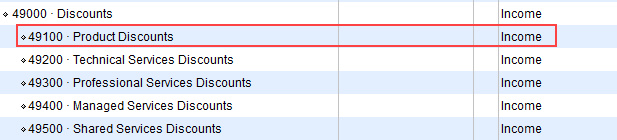
First create an account in the income section of your Chart of Accounts where the discount amount will be recorded.
This method is typically used in larger companies.
Create a mapping to the Product Discount account using Revenue-Product and Revenue-Agreement Product mapping, like above.
This method is typically used in larger companies.
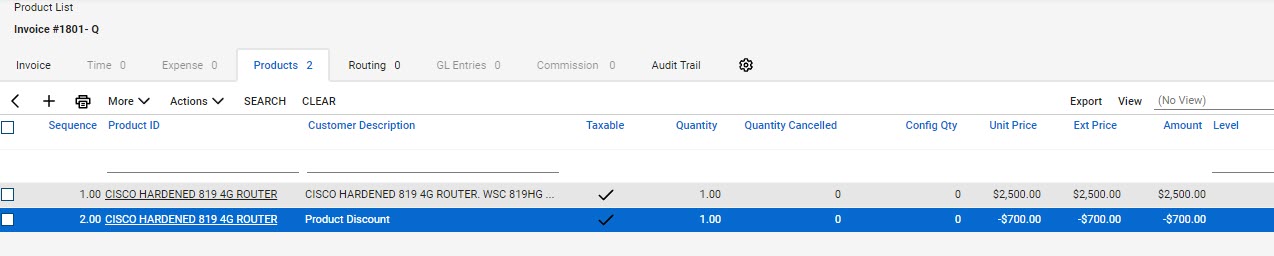
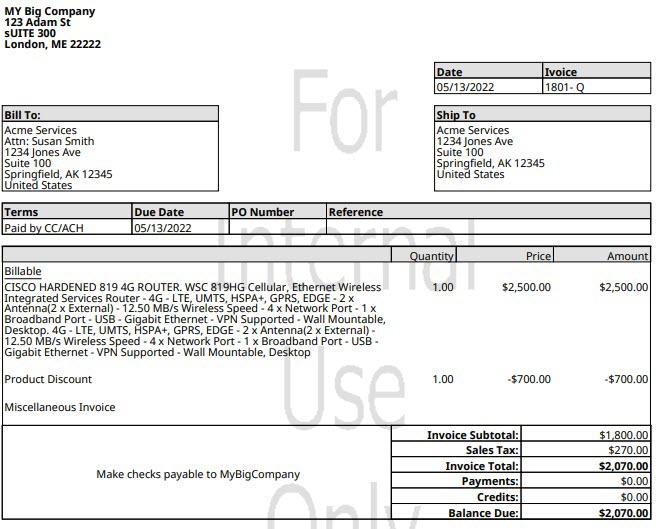
Which ever method is used, the result is shown below in the invoice example.
Notice the Product Discount line showing “Discount”.
More can be added of course, just add more to the customer description of the discount product.
We see too many giving discounts which are never seen by the client.
Stop giving away non-appreciated discounts, help them appreciate what your company does for them.
At Visionary 360, we’re a team of experienced business coaches who help Technology Solution Providers make the most of their tools with a strong focus on financial clarity.
We’re more than consultants. We’re partners who love solving problems, simplifying complexity, and turning frustration into progress. Our clients become part of the Visionary 360 family, and we take pride in celebrating their growth and success.
There’s no greater satisfaction than seeing a partner’s business thrive—streamlined, profitable, and confident in every step forward.