


Th ConnectWise Marketplace Partner Exchange is a great resource for ConnectWise partners. If you are looking to build something custom in ConnectWise PSA, such as a Report Writer report or a project template, don’t try and re-invent the wheel, check out the ConnectWise Marketplace Partner Exchange first. The Partner Exchange offers thousands of partner contributed templates for service & project boards, project templates, surveys, html templates, configuration setups, Report Writer reports and more.
Another resource you’ll find on the Partner Exchange are Solution Sets. Solution sets are collections of webinars, training materials, and pre-configured items, such as service boards, workflow rules and project templates, that relate back to a single topic or concept.
Of course, we recommend reviewing and testing any template brought in from the Partner Exchange before putting it in production. While you may find a template that fits your EXACT requirements, chances a few modifications will be required to make it your own.
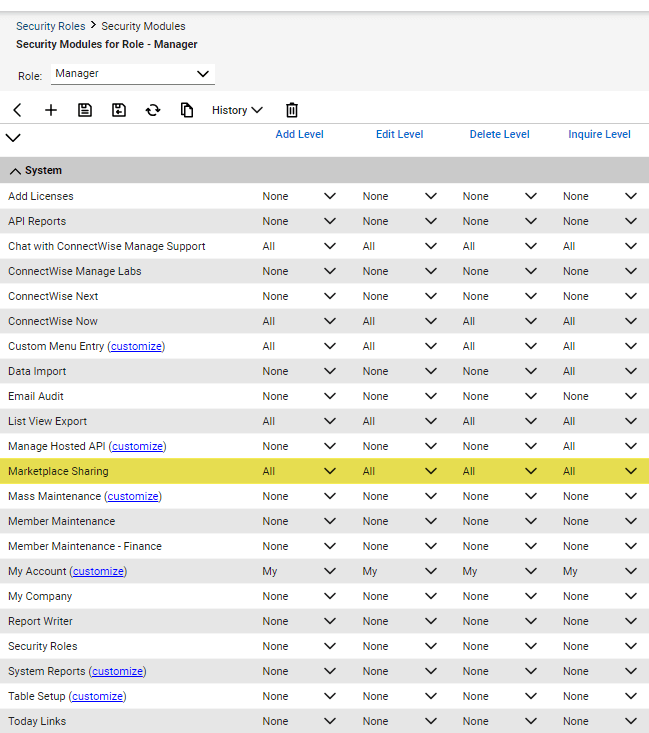
Downloading templates from the Partner Exchange requires the proper security access in users Security Role settings.
Update the Security Role
1.Navigate to System > Security Roles > drill into a role
- In the System module > Marketplace Sharing permission
- Select All under each column to give the logged in member access to import from the Marketplace into the PSA.
Here are the ways you can check out the resources on the ConnectWise Marketplace Partner Exchange:
- Starting in ConnectWise PSA, navigate to System > Marketplace> Partner Exchange (If not logged into the University, you will be prompted to do so)
- Starting in ConnectWise University, navigate to Community > Marketplace > Partner Exchange
- Use this link: ConnectWise.com/Marketplace.
Note: Users must be logged into the PSA desktop client to import and export from the Marketplace.

Use the following steps to import your templates to the Marketplace.
- Select the green Import button to download to your PSA client.
- Depending on the type of template you select, you will be given a pop-up box to fill in any customizable or required fields.
Once on the Marketplace page, narrow your search by
- Selecting a search category
- Using a keyword search
The results displayed provide a summary, rating, the number of partners who have also downloaded this template, and the partner who created it (CWO = ConnectWise).
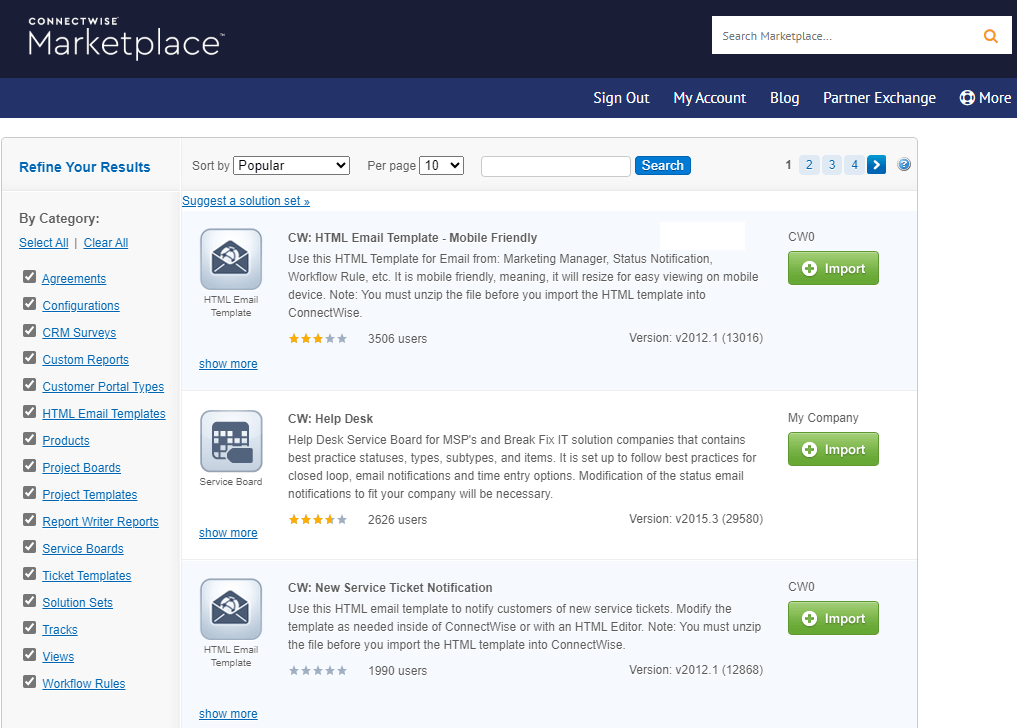
Select the Import button to bring the template into your PSA. Depending on the template type, you will asked to save it on your computer (ex. html templates) or enter values for the appropriate fields to save it in the PSA. Select OK to save the template.
That’s it! Navigate to the appropriate location in PSA and start testing!
Happy shopping!




