


Locking Down Agreements, Prevent Applying Types of Agreements to Tickets.
Does your company have clients with multiple agreements? Are team members selecting the wrong agreement(s) to service tickets? Unfortunately this is not a unique issue amongst the ConnectWise Manage PSA base of users.
Agreements are put in place to accomplish the following:
- Recurring sales such as Cloud Services.
- Handling service coverage. Determines if a time entry is to be covered or invoiced.
- Handling unique service coverage. Weekly on-site visits. Servers on-site are covered but workstations are not.
Agreements have to major methods of being invoiced for services:
- Using addition products (Preferred) Revenue mapping is dependent upon each product added.
- Blanket agreement. No addition products are used. Revenue is mapped by the Agreement Type, Location, or Department. This is dependent upon GL mapping settings, located in the setup tables.
In this blog article, we’ll show how to prevent certain agreements from being able to be selected for an agreement.
Agreement Types are kind of a “Template” when setting up an agreement. Upon winning a proposal, the quote is converted into an agreement. During the conversion process the addition products are imported into the agreement, after selecting which Agreement Type is selected.
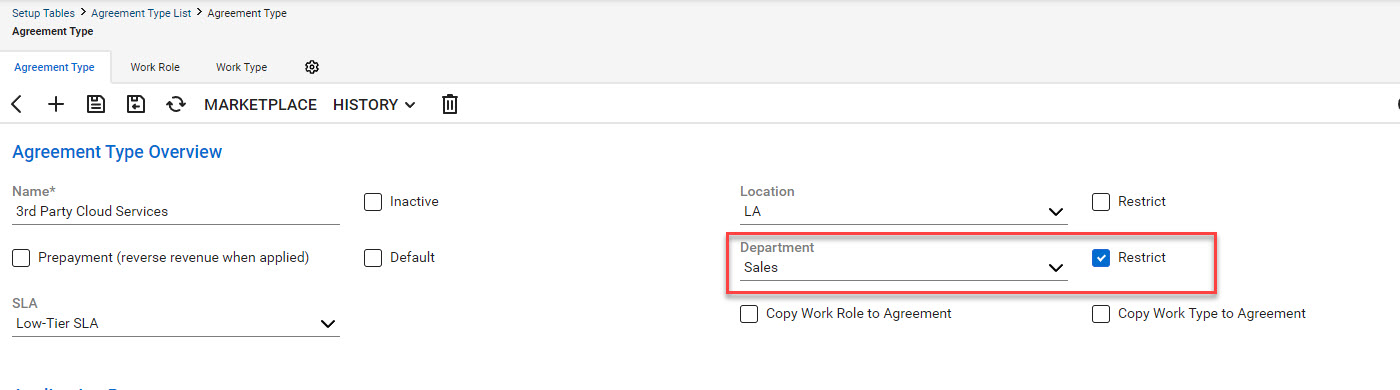
In this example, we show the Department “Restricted” and “Sales” is selected. The department setting will depend upon your system’s setup.
Agreements when being created will copy the settings from the selected Agreement Type, as shown in the above example.
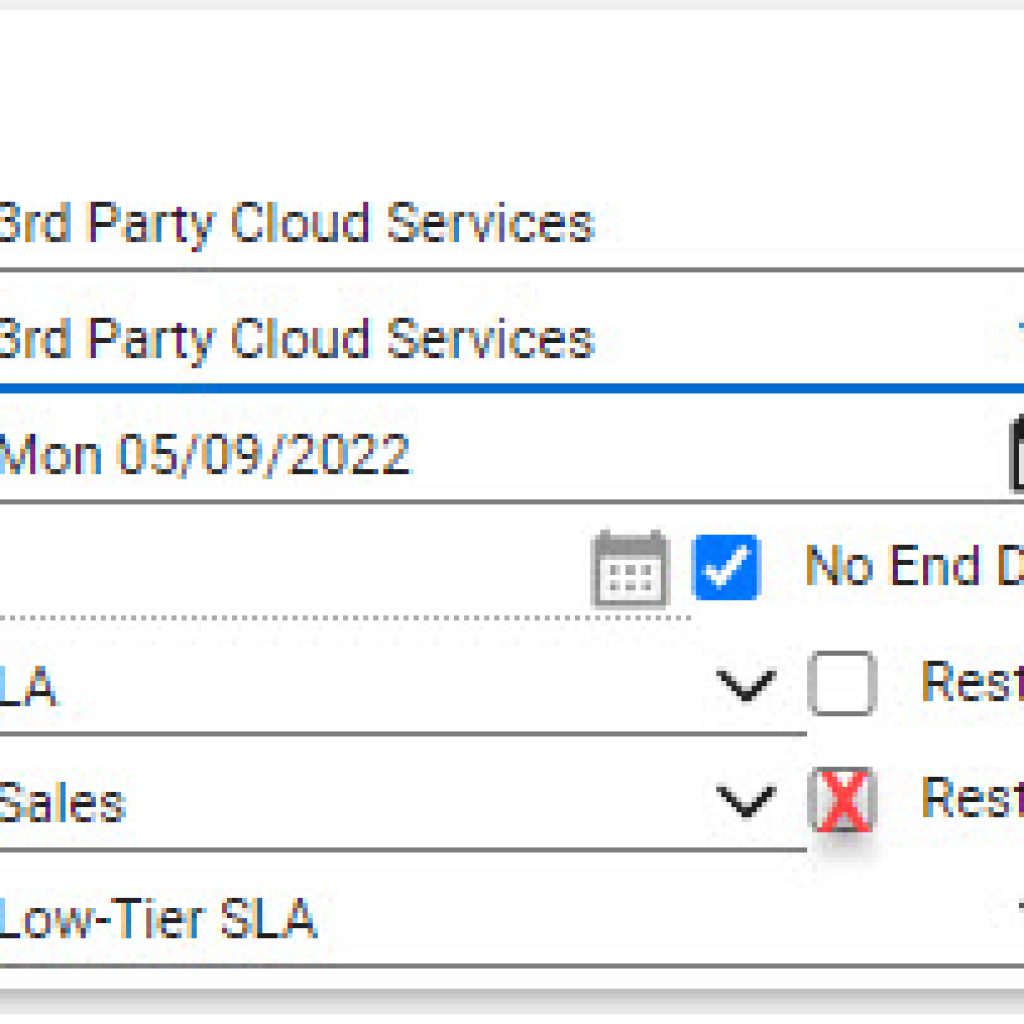
Should the agreement have the location restricted? This will depend upon your companies needs. If multiple locations are used, then it is possible that this might be needed.
Using this method will prevent team members from applying the restricted agreement to a ticket which doesn’t match the restricted department.
Before putting this tip in operation, please review your agreement setups, GL mapping to make sure that any revenue will be applied to the correct account.




