A new feature is being added to the ConnectWise Manage PSA, known as “Round Robin”. The goal of the feature is to be able to select a team on a service board so that tickets can be auto-assigned to the members of the team.
If this feature has been looked at in the past, now would be a good time to revisit this feature, as there has been many changes since being released in 2022.1.
From ConnectWise’s release notes (Last updated 12/5/2022), here are the latest updates:
- Round Robin Auto Assignment: The auto assignment of tickets via round robin is no longer controlled by the In/Out board. Now, round robin ticket assignment is based on calendar availability, specifically the member calendar office hour settings (controlled by the calendar option defined on the Member record). If no calendar option is set on the member page, the System > My Company > Calendar is used to determine availability.
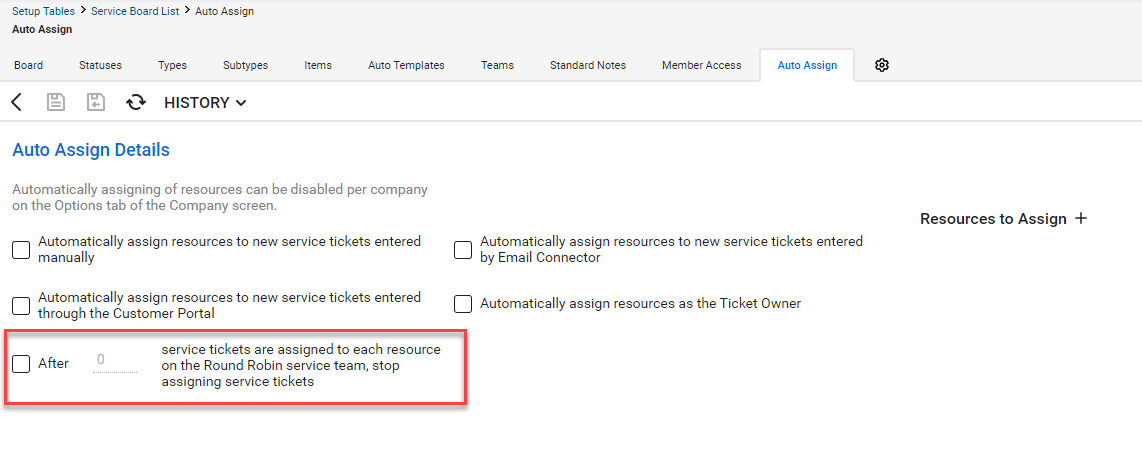
- Limit Tickets Assigned Per Day: Within the Service Board setup table Auto Assign tab there’s a new option to enter a cap on the number of service tickets that can be auto-assigned to each round robin team resource per day.
- Skill Category Mapping: You can now associate service ticket types with skills and skill categories within the Service Board Types tab. When a service ticket is assigned to a resource using a round robin team, Manage will assign the first available resource with the skill associated to their member page. If no member with the skill is available, Manage will simply assign the next team member in line for ticket assignment.
- Ticket Templates: add a round robin team to the resources tab and the ticket will only assign one team member at a time in round robin fashion.
- Service Tickets: if you assign a round robin team within the Resources & Meetings pod, only one team member will be assigned to the ticket in round robin fashion.
- Service Board: you can now create more than one round robin team per service board. Use the new Default Round Robin option within the team to indicate which round robin team is used with the auto template feature.
- Email Connector Tags: When using the SetTeam email connector tag, if a valid round robin team name is entered, only one resource from the team will be assigned to the existing service ticket in round robin fashion.
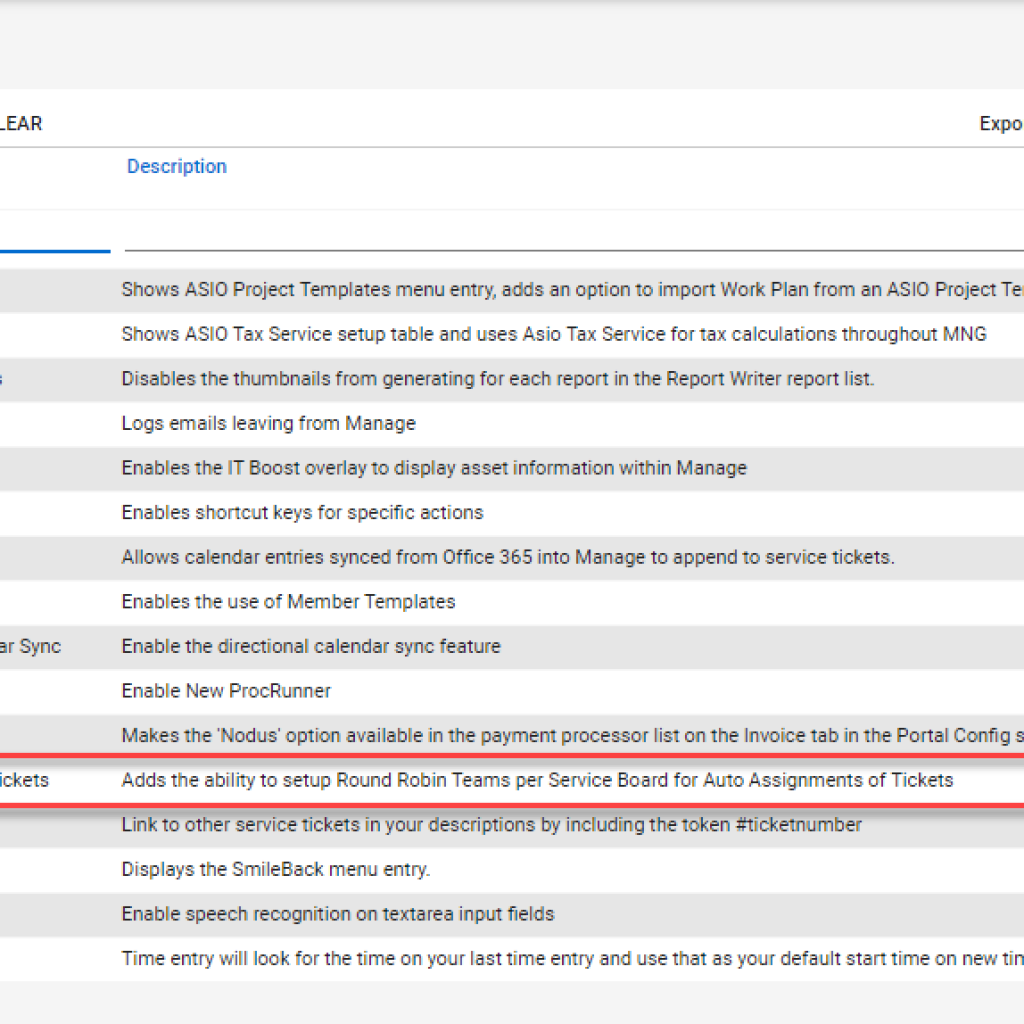
This feature is currently available through the Manage Labs Setup Table, which means it's considered a Technical Preview.
It would be considered best practice, to do proper testing before using this in production.
Manage Labs is available through the Setup Tables. Navigate to System Menu > Setup Tables > Manage Labs. In the menu listing, select the desired function, then from the Actions Drop Menu, Mark Active.
Lorem ipsum dolor sit amet, consectetur adipiscing elit. Ut elit tellus, luctus nec ullamcorper mattis, pulvinar dapibus leo.
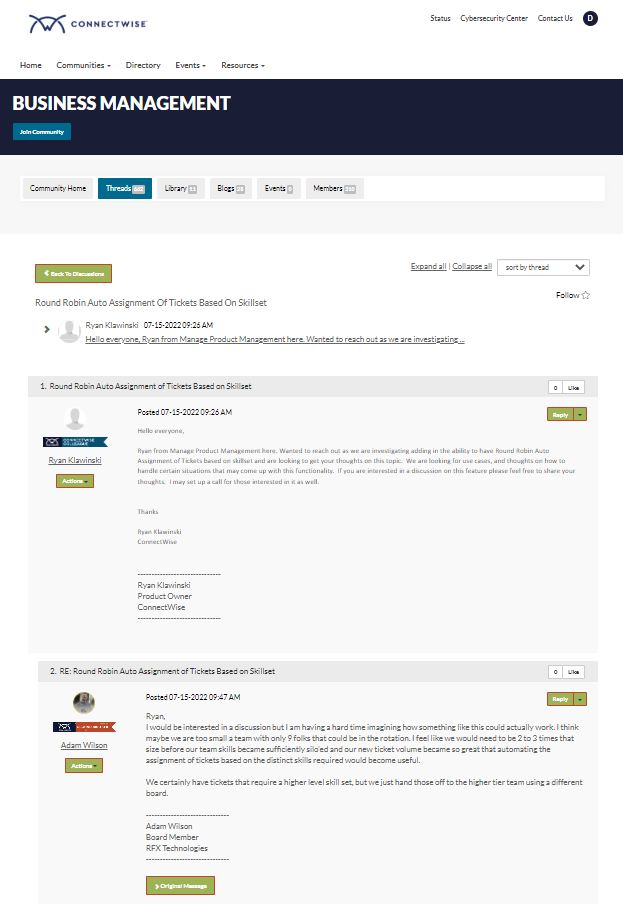
ConnectWise has a virtual community for various topics. Post the experience that your team has experience, give them your feedback. Just a quick glance, we found an active discussion between product managers and ConnectWise Partners.