Introducing automation into the procurement receiving process
In this blog, we’ll discuss how a few simple workflows can help introduce efficiency into your system.
Automation is a term for technology applications where human input is minimized. This includes business process automation (BPA), IT automation, personal applications such as home automation and more.
Let's add some simple workflows
Issue:
- Products have been received for a project.
- Products have been received for a ticket.
Action:
- Notify project manager, dispatcher or resource about the received products
- Update the tickets notes about receiving products.
- Change ticket status.
Service Workflows
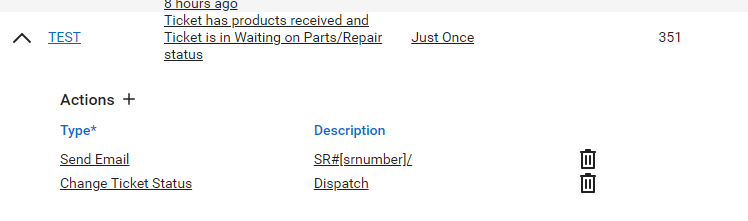
Ticket workflow rules:
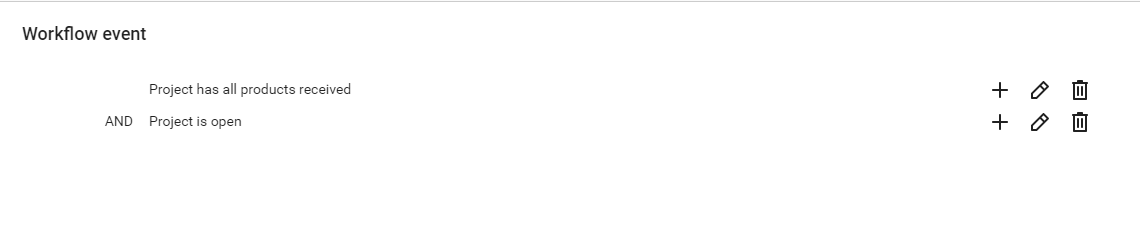
Trigger: Products received + Status is Waiting on Parts/Repair
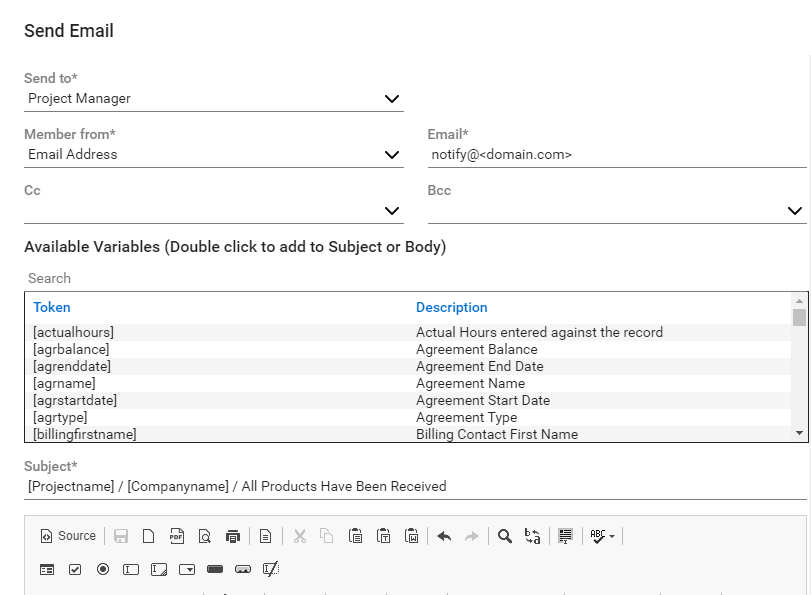
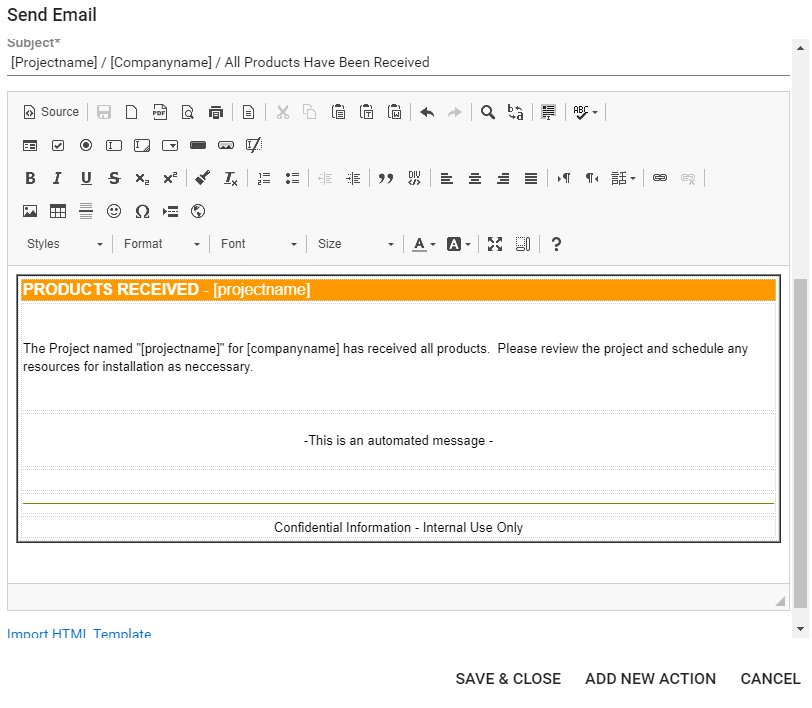
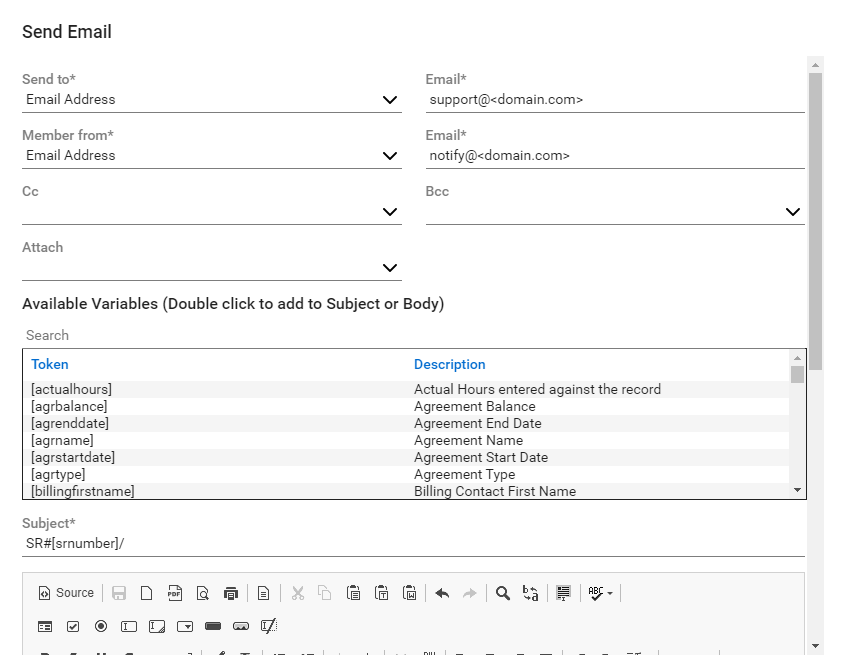
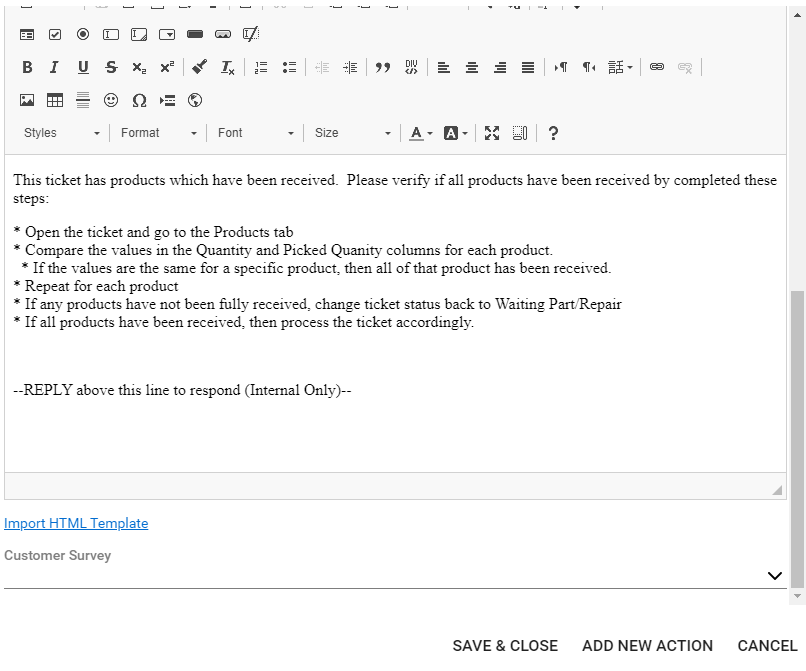
Action 1: Send email to email connector. This will inject a message into internal notes of the ticket.
Action 2: Change status of ticket to Dispatch or similar status to notify someone to review the ticket notes.
This method sends the email to the email connector. This then "Injects" the email content into the internal notes section of the ticket using the (Internal Only) line shown.
The subject line shown must be present otherwise this will create a new ticket.
Our Blogs are written to provide tips, tricks, and to enlighten the mind to bring automation and efficiently to the ConnectWise platforms.
Have a design and like to share? Send it our way, and of course we give full credit to the contributor.