


How to Navigate Multi-Level Sales Tax Challenges in ConnectWise Sell/CPQ
If your business operates in a state with varying sales tax rates based on product value or type, there’s a crucial limitation in ConnectWise Sell/CPQ you need to be aware of. This limitation can cause inflated sales tax amounts on your quotes due to incorrect application of multi-level sales tax rates.
Understanding the Issue
When operating in jurisdictions where sales tax varies by product type or across multiple jurisdictions, you may be using a multilevel tax code or applying tax code exemptions in ConnectWise PSA to manage different sales tax percentages on taxable products under the same tax code.
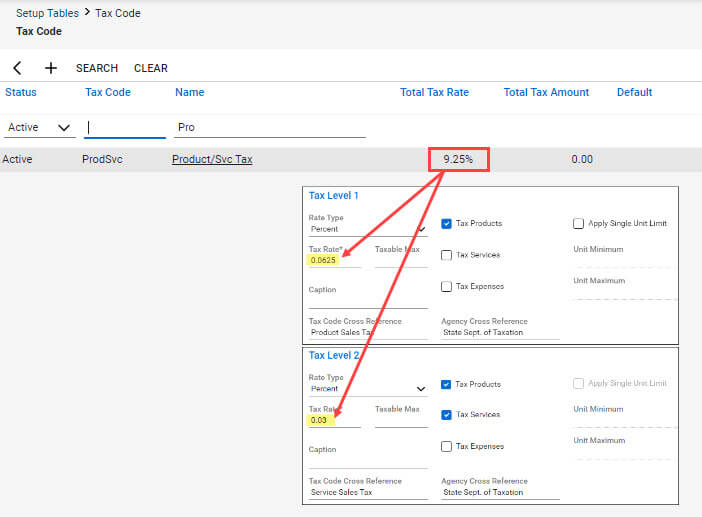
For instance, imagine a jurisdiction where both product resale and services are taxable, but at different rates—6.25% for products and 3% for services. This is handled by setting up a tax code like the one below:

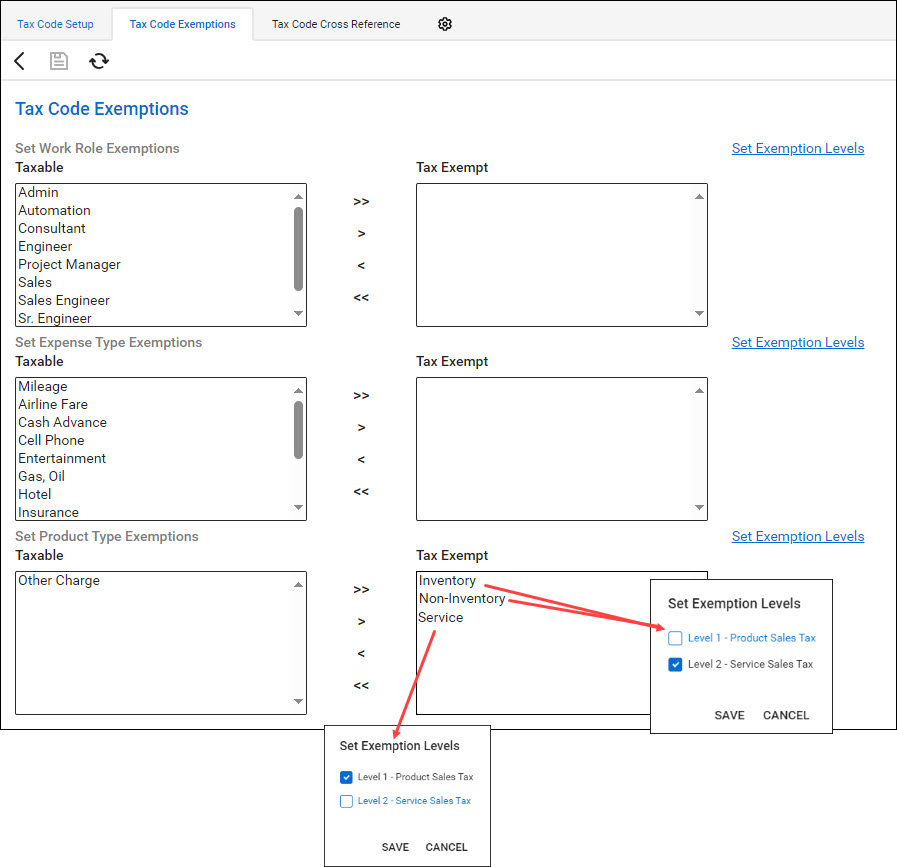
In this setup, standard inventory and non-inventory products would be taxed at 6.25% (exempt from Level 2 tax), while service-type products would be taxed at 3% (exempt from Level 1 tax). The tax code exemptions would be configured as follows:
Although the tax code might list a total tax rate of 9.25%, it is actually set up to charge 6.25% on products and 3% on services.
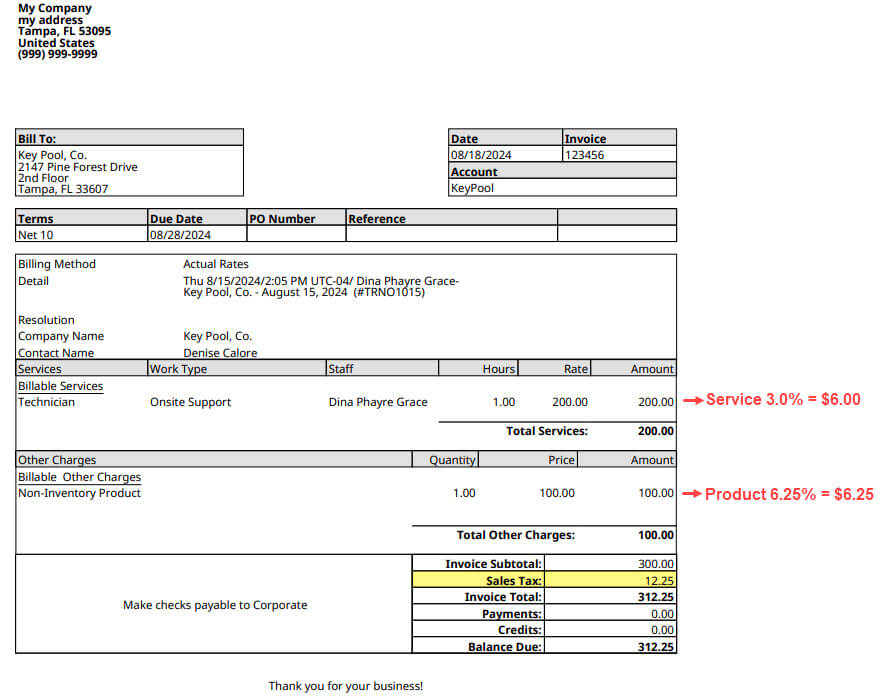
This configuration works well in ConnectWise PSA. When generating an invoice with a mix of service and non-service products or with product and time entries, the correct sales tax is calculated:
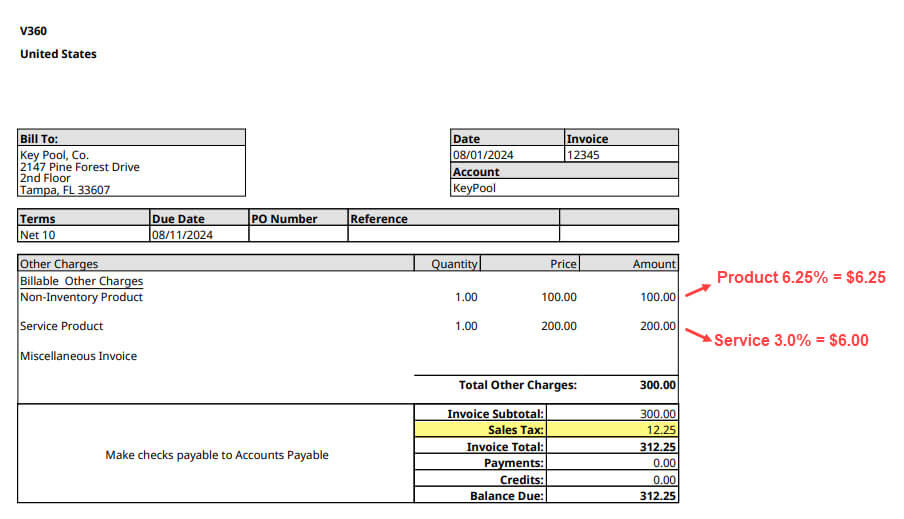
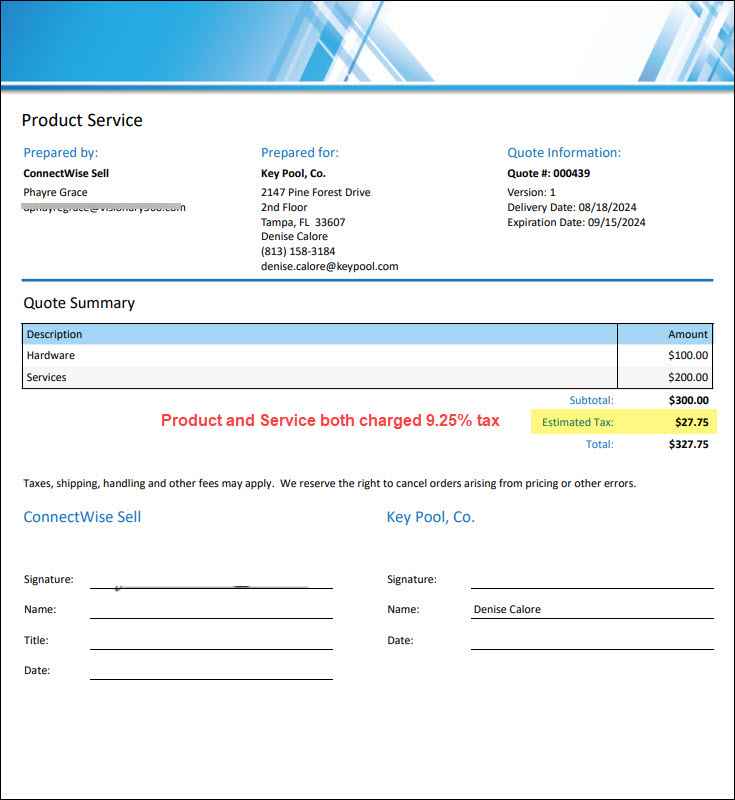
However, in ConnectWise CPQ, the same mix of products would not be taxed correctly:
The Root Cause
The issue arises because ConnectWise CPQ does not recognize sales tax levels. When the multilevel tax code from PSA is imported into CPQ, it is treated as a single tax percentage, leading to both service and non-service products being taxed at 9.25%.
Solutions for Managing Multi-Level Sales Tax
If you operate in multiple tax jurisdictions or in areas with multilevel sales tax structures, consider the following options:
1. Third-Party Integration: Use a third-party tool to integrate ConnectWise with your accounting software to calculate and remit sales tax to state agencies. While effective, this solution can be costly.
2. Separate Tax Rates on Quotes: Break down the various sales tax percentages by placing differently taxed items on separate tabs within your quotes. ConnectWise CPQ allows you to set tax rates at the quote, tab, and per-product level.
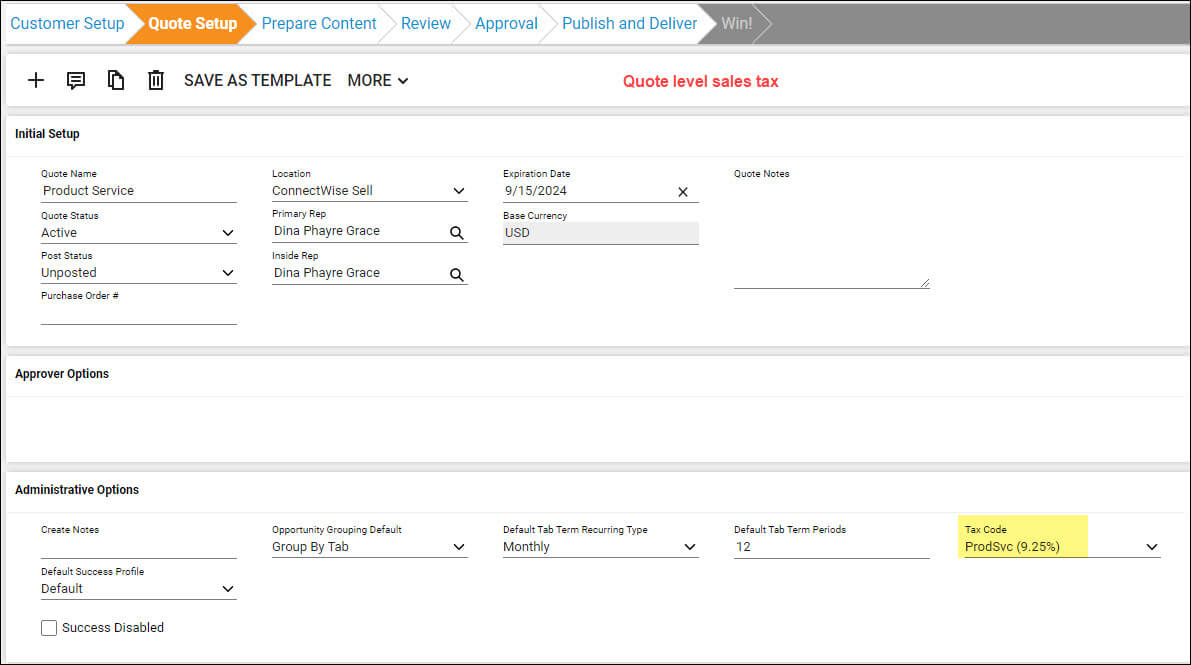
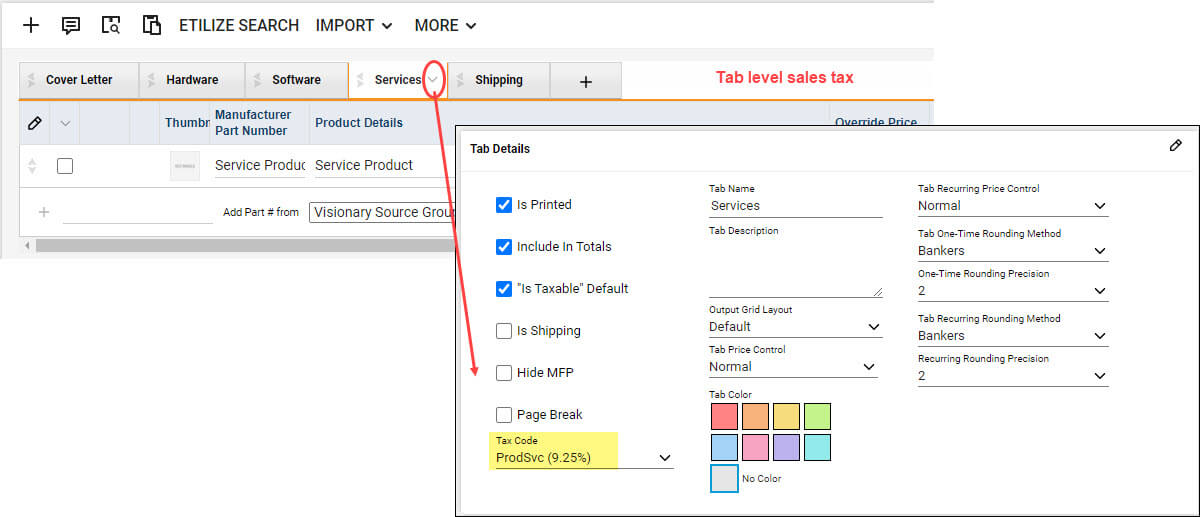
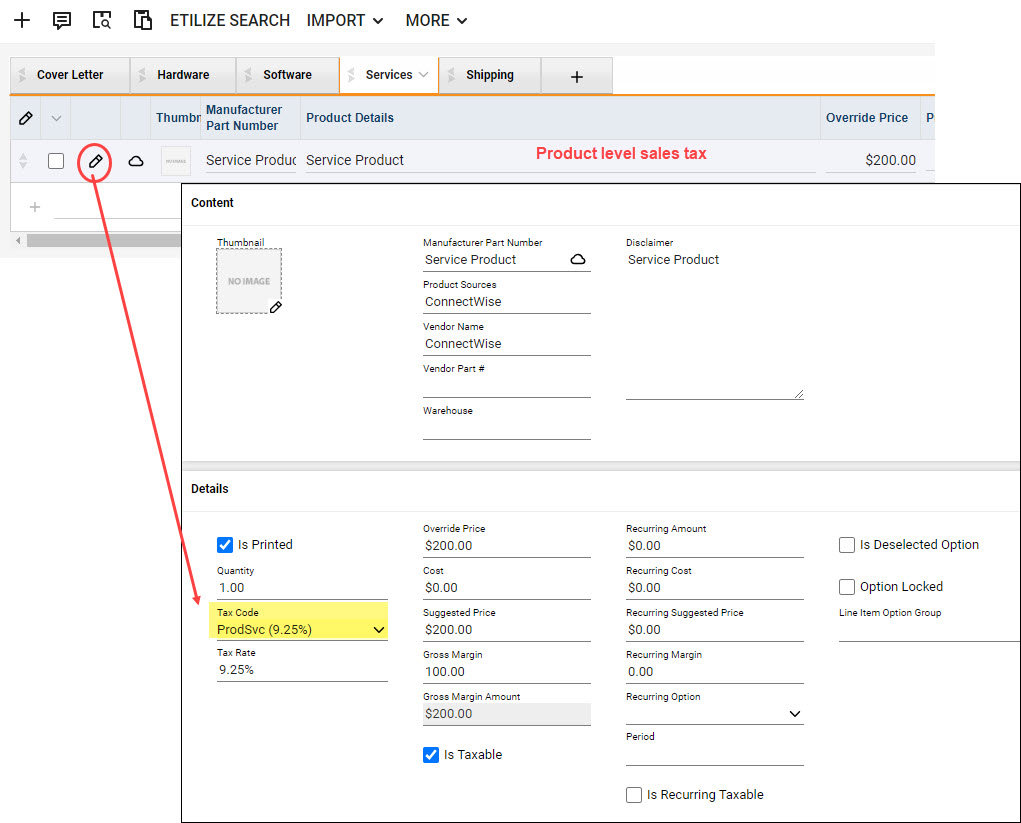
For example, create unique sales tax codes for each level of tax—6.25% for products and 3% for services. Group similar items on the same tab and set the tax rate accordingly. Alternatively, you can set the tax rate on each product after adding them to a quote. While this method is viable, it requires manual input and a solid understanding of sales tax regulations.
3. Exclude Sales Tax from Quotes: Another option is to leave sales tax off your quotes entirely. Configure your quotes and templates to not calculate sales tax by default, and include a note stating that sales tax will be calculated and applied at the time of invoicing. This approach may lead to client inquiries for tax estimates but is the easiest to implement and maintain, minimizing errors from manual tax rate adjustments.
Final Thoughts
At Visionary360, we recommend double-checking the sales tax calculated on your quotes to ensure accuracy. If you encounter issues or have questions about setting sales tax rates in ConnectWise PSA or CPQ, don’t hesitate to reach out to our Consulting Team at [email protected].
By staying informed and proactive, you can avoid costly mistakes and ensure compliance with local tax laws.




