


Automating agreement creation is a significant advantage in sales processes. One way to achieve this is by using the “Recurrence” feature for products billed as agreement additions. While this feature simplifies the agreement creation process when converting opportunities or sales orders, it can also influence certain sales metrics. In this article, we explore how the “Recurrence” feature works and its potential impacts on your company’s sales numbers, helping you decide whether to enable or disable it.
Agreements
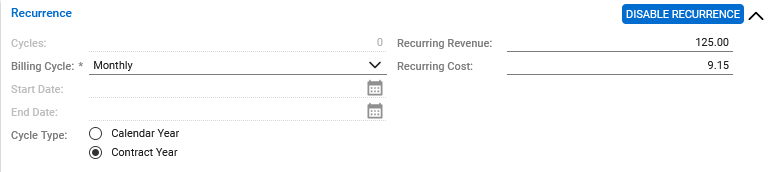
Enabling the recurrence option in the product catalog allows you to:
- Set a default recurring price and cost (which can be overridden).
- Establish a billing cycle for the product.
- Determine the cycle type.
Once these values are defined, a product using recurrence can be seamlessly converted into an agreement.
This method eliminates the need to create the agreement first and then drill into the additions to define billing start and end dates. Instead, this process is handled as the addition is incorporated into the agreement, saving staff hours and reducing data entry errors.
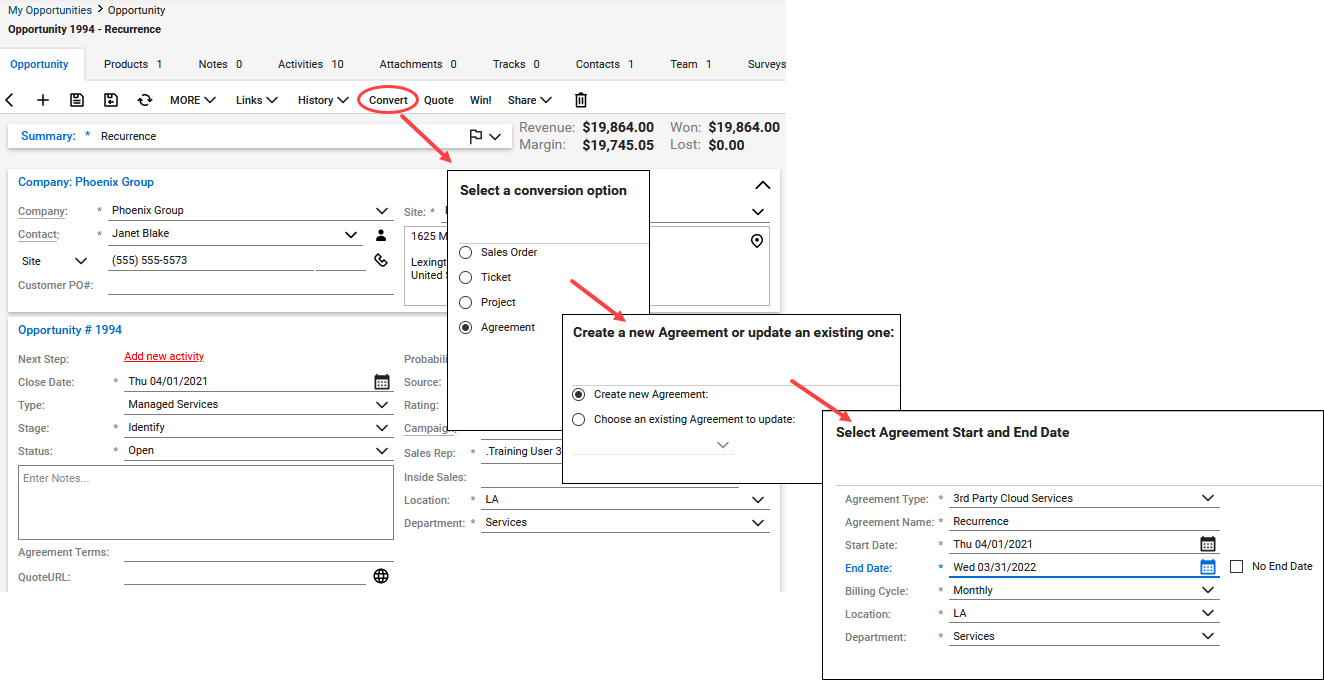
Sales
While enabling recurrence accelerates agreement creation, it also impacts your sales figures, particularly sales quotas and revenue forecasting. If you rely on sales reports in ConnectWise Manage, it’s crucial to understand how recurrence modifies this data.
If you track sales in Manage, you likely use the Sales Overview screen (Sales > Sales Overview). This screen provides a quarterly sales performance overview for each member, displaying both realized and expected revenue from won and open opportunities.
When a product is won from an opportunity, its total sales price appears on the Sales Overview screen as revenue for the month it was won, contributing to the monthly quota. For non-recurring products, this system works perfectly. However, for products using recurrence, the scenario changes.
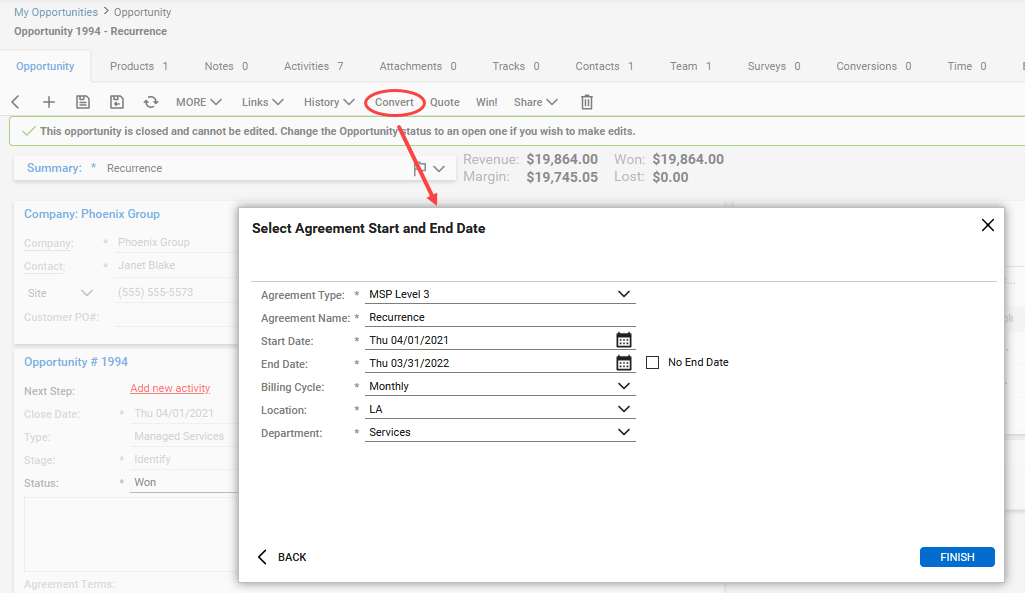
If a recurring product (e.g., an agreement addition) is won from an opportunity with recurrence set, the total sale amount will be distributed across the recurring months on the Sales Overview screen for the entire recurrence period.
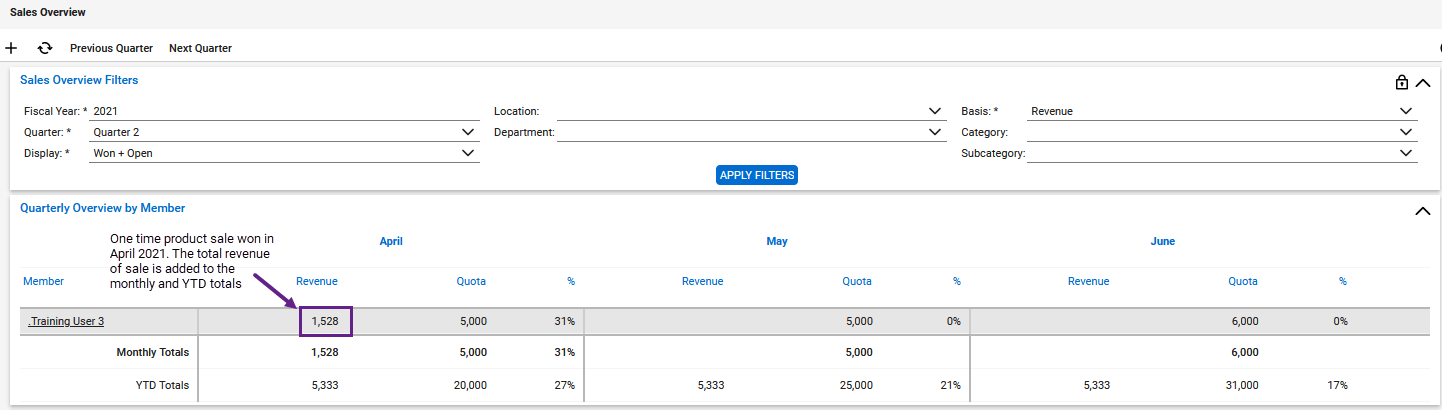
This means the monthly amount will be counted against the monthly quota each month. Eventually, the recurring amount could exceed the monthly quota, leading to quotas being met without additional sales.

Adjusting monthly quotas to compensate for this involves manual intervention. Every time a salesperson sells another agreement, the quota will need to be recalibrated.
Conclusion
Due to the effects on sales reporting and the necessity for manual adjustments, Visionary 360 recommends disabling the recurrence feature and entering agreement additions as needed. However, with this information, you can make an informed decision on whether enabling or disabling the recurrence feature is the best choice for your company.




