


ScreenConnect Quick Tip: Use the toolbox!
Stop wasting time uploading the same tools every session. Add portable apps or scripts to the Shared Toolbox so they’re ready to run on any machine, anytime. Bonus: Tools run without leaving them behind on the endpoint.
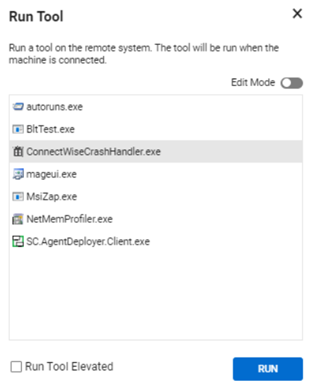
ScreenConnect Quick Tip: Run Tools (or commands) on Multiple Endpoints at Once
Tired of repeating the same command on each machine? You can select multiple endpoints and run scripts or tools across all of them simultaneously, perfect for mass updates or cleanup tasks.

ScreenConnect Quick Tip: Securely Store Machine Credentials for Faster Support
Frustrated entering admin passwords repeatedly during sessions? Use the Manage Credentials feature in the Host Client to store encrypted credentials—accessible only during that support session and never visible to the technician. It saves time on reboots or reconnections while keeping credentials secure and not stored in plain text.





