
ConnectWise has been encouraging partners to enable the PSA experience inside the Asio platform. Many MSPs are curious about what this actually does and whether they should enable it now or wait.
The PSA migration wizard is not simply a feature toggle. It introduces structural changes to how PSA and the platform share data and how certain administrative functions behave.
Before starting the migration wizard, here are several things every MSP should understand.
1. Asio Is a Platform, Not a PSA Replacement
One of the biggest misconceptions is that Asio replaces ConnectWise PSA.
It does not.
Asio is the platform layer that ConnectWise is building its ecosystem on. Different products operate as modules on that platform, including:
-
RMM
-
PSA
-
BrightGauge analytics
-
Client management tools
When PSA is enabled inside Asio, the platform begins sharing core data objects with PSA rather than operating as a separate system.
2. The Migration Wizard Creates Data Unification
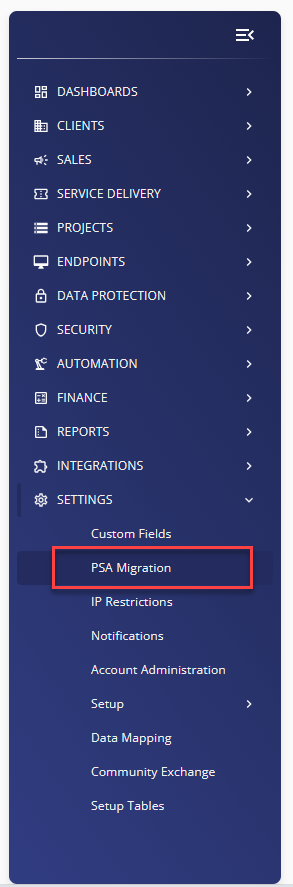 When the wizard runs, it performs a data unification process between PSA and Asio.
This process maps and synchronizes:
-
Companies
-
Sites
-
Contacts
-
Corporate structure
Once completed, the system enables bi-directional synchronization so updates made in either system stay aligned.
In other words, PSA and Asio begin operating on a shared data model.
3. You Must Choose a Source of Truth
During migration you must select which system controls conflicting data.
Options include:
-
PSA as the authoritative system
-
Asio as the authoritative system
Once the choice is made, it cannot be changed later.
For most MSPs today, selecting PSA as the source of truth is the safer approach.
The legacy PSA environment still contains functionality that has not yet been fully implemented inside the Asio PSA experience.
4. Your Data Will Be Validated Before Migration
The migration wizard performs a data assessment before allowing the migration to continue.
It checks for issues such as:
-
Duplicate mappings
-
Dead references to deleted records
-
Invalid company or site relationships
-
Contacts mapped to incorrect parents
If any issues are detected, the wizard will generate a CSV report and require corrections before migration can proceed.
This step exists to prevent synchronization problems after the platform integration is enabled.
5. Company, Site, and Contact Mapping Becomes Permanent
During migration you will map PSA records to Asio records.
Once mappings are confirmed and submitted, they are stored in the backend and cannot be changed later.
If mappings are incorrect, the system may create duplicate companies, sites, or contacts.
This makes careful review during the migration process extremely important.
6. Some PSA Administrative Tools Are Disabled
One operational impact many partners discover after migration is that certain PSA administrative tools are disabled.
Examples include:
-
Company Merge
-
Company Restore
-
Company Mass Maintenance
-
Company Merge Audit Trail
-
Delete Company and Contact Batch Imports
These tools are disabled once PSA and Asio are unified.
If your organization relies on these tools for administrative cleanup or restructuring, you should plan accordingly before starting the migration.
7. Deleting Companies, Sites, or Contacts Is Not Recommended Yet
At the moment, deletion workflows are not fully integrated between PSA and Asio.
ConnectWise specifically advises partners not to delete companies, sites, or contacts from either system until the deletion validation process is fully implemented.
Attempting to delete records can lead to:
-
Orphaned records
-
Data inconsistencies
-
Synchronization failures
Instead, records should be marked Inactive when they are no longer needed.
Final Thoughts
The PSA migration wizard is part of ConnectWise’s long-term platform architecture.
Enabling it does not immediately change how most MSPs operate day-to-day inside the legacy PSA interface. However, it does introduce a shared data model and disables certain administrative capabilities.
For organizations that want access to the evolving Asio platform while maintaining their existing PSA workflows, enabling the migration with PSA as the source of truth is currently the most practical approach.
The key is understanding the operational changes before starting the process.