Once a product has been used it’s locked and can no longer be deleted. In this blog, we’ll show a way to keep the inactivated products organized and out of the way of activated products.
This tip brought to us by Dina, Sr. Business Consultant at Visionary 360.
Typically when a product is no longer in use, it’s simply marked inactive. Dina suggests that we add an Inactive Category and Subcategory to the Products Setup Table.
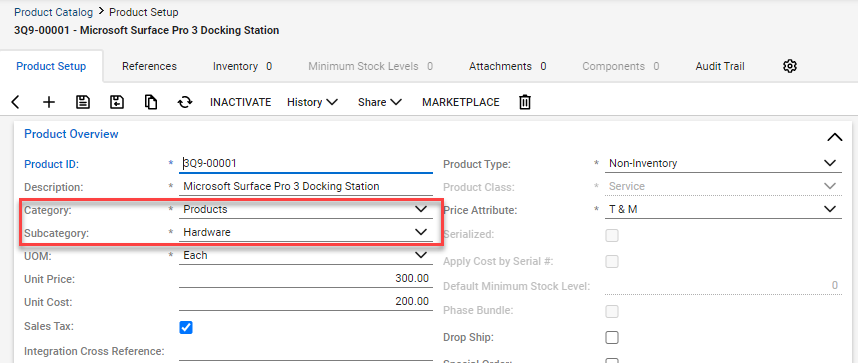
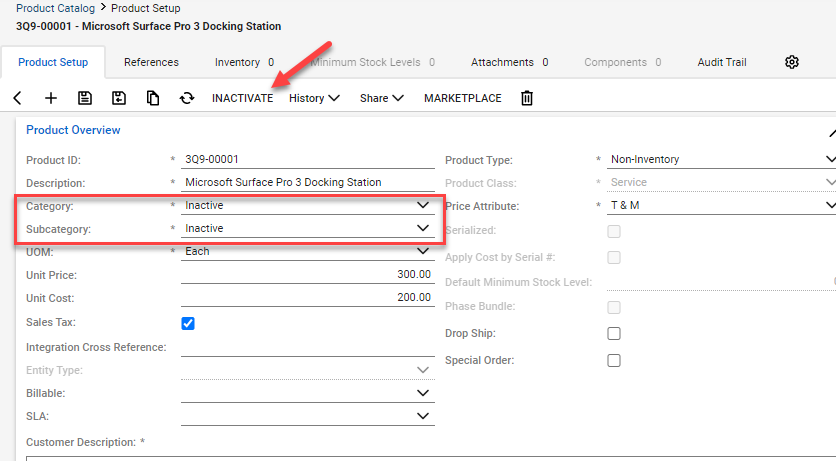
When a product is no longer used, when marking the product inactive, the category and subcategory will be changed to Inactive as well. This moves the product out of the standard searches, giving a cleaner view.
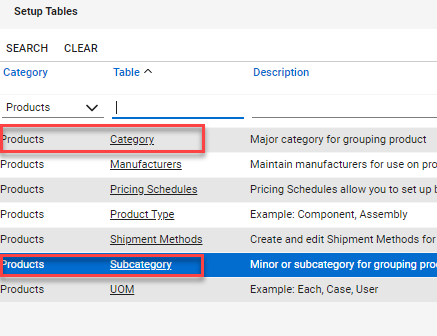
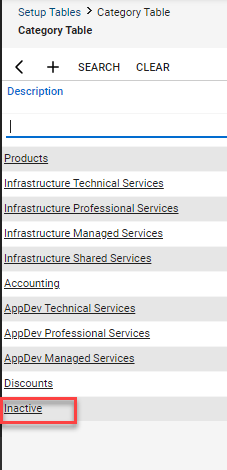
Step 1: Navigate to System > Setup Tables > Products Category > Category.
Add Inactive as a Category item.
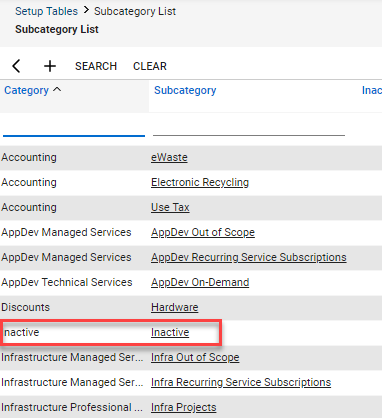
Step 2: Navigate to System > Setup Tables > Products Category > Subcategory.
Add Inactive as a Subcategory item. Select Inactive as the linked Category.
With the Setup Tables installed, a product can be inactivated and placed into the new classification of Inactive.
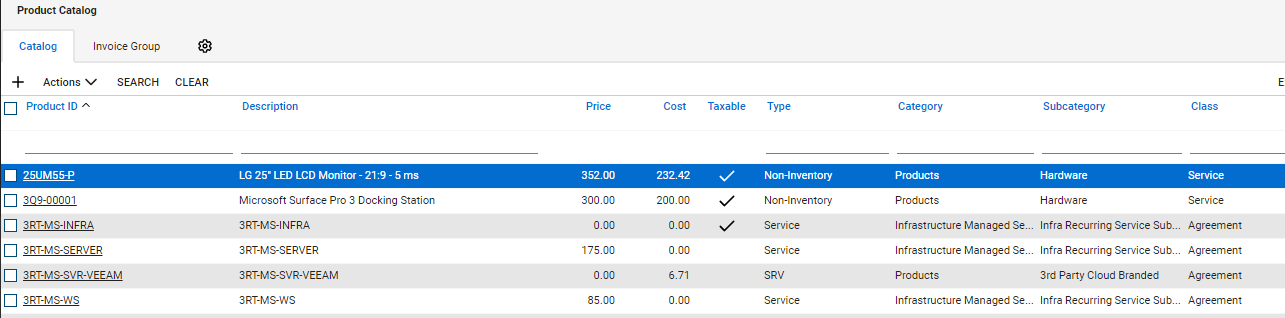
Step 3: Select a product which needs to be marked Inactive.
Step 4: Navigate to the Category and Subcategory.
Step 5: Change the Category to Inactive.
Step 6: Change the Subcategory to Inactive.
Step 7: Click Save.
Step 8: Click Inactivate.
We hope this tip will help your procurement team to keep the product database more organized. Visionary 360 publishes multiple blogs per month covering tips & tricks, new releases, our favorite features and sometimes a heads up notice to not setup/use.
At Visionary 360, we’re a team of experienced business coaches who help Technology Solution Providers make the most of their tools with a strong focus on financial clarity.
We’re more than consultants. We’re partners who love solving problems, simplifying complexity, and turning frustration into progress. Our clients become part of the Visionary 360 family, and we take pride in celebrating their growth and success.
There’s no greater satisfaction than seeing a partner’s business thrive—streamlined, profitable, and confident in every step forward.