Updating service boards or changing a member’s default service board, yet the settings don’t seem to be applying? Try this fix.
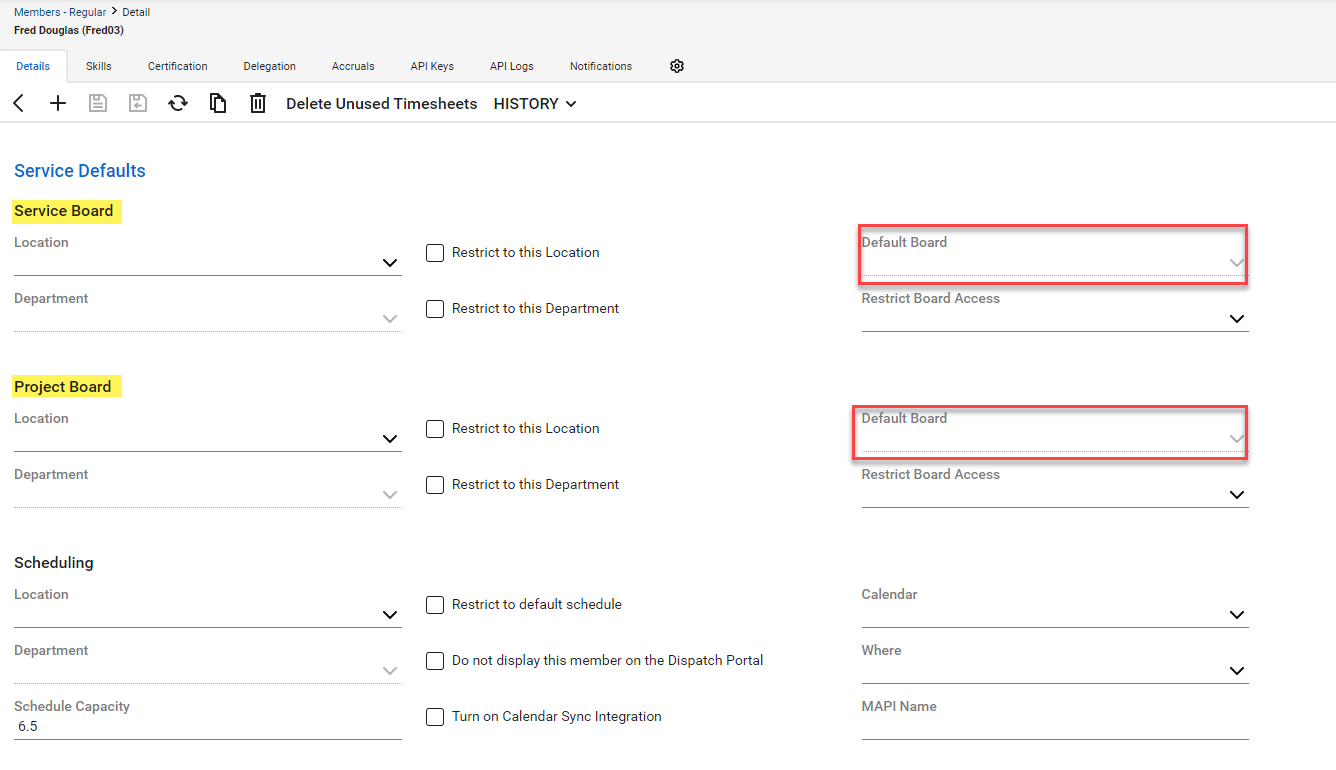
The actual default service and project board settings are set in each member’s profile. Locate the Service defaults, then select the default board for each.
Many have found that even after making changes, the default service board retains the previous settings.
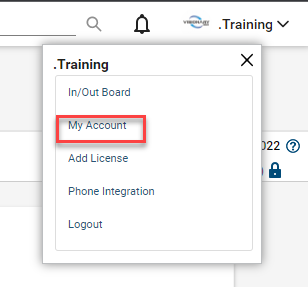
If setting new defaults in the member’s screen doesn’t resolve the issue, navigate to the user’s account, located at the top right side of the Today Screen.
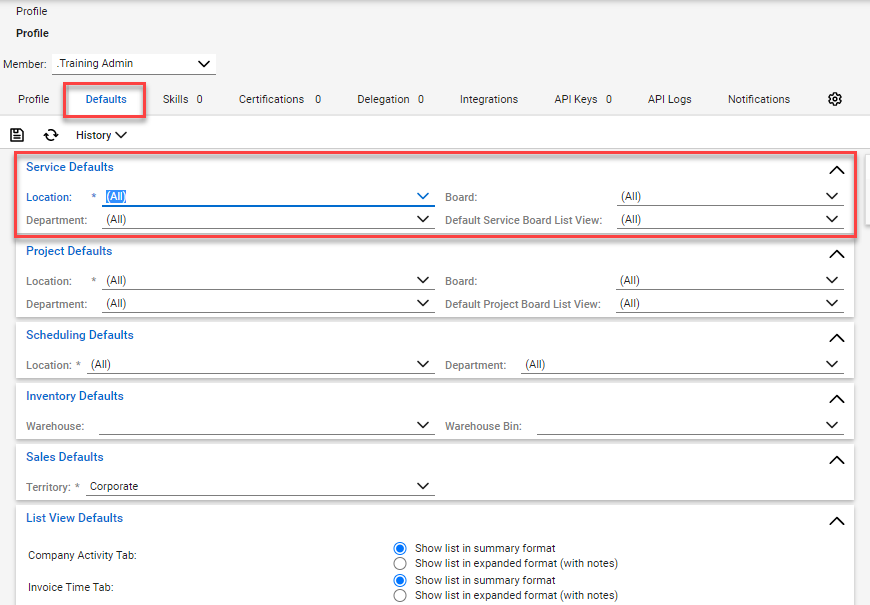
Click the Defaults tab, which will display similar settings as viewed on the member’s screen.
If the settings displayed are not correct, make the appropriate changes, click the save button, then exit the profile account screen.
While the settings may take immediately, we would suggest having the user log out of ConnectWise Manage, then log back in.
We hope this tip helps and ends some frustration.
Don't miss out when we publish new blogs!
Now available, subscribe to our blog mailing list. Be the first to know when a blog is published.
At Visionary 360, we’re a team of experienced business coaches who help Technology Solution Providers make the most of their tools with a strong focus on financial clarity.
We’re more than consultants. We’re partners who love solving problems, simplifying complexity, and turning frustration into progress. Our clients become part of the Visionary 360 family, and we take pride in celebrating their growth and success.
There’s no greater satisfaction than seeing a partner’s business thrive—streamlined, profitable, and confident in every step forward.