ConnectWise Campaign, though part of the ConnectWise Manage PSA platform, requires a different SPF record to be added to your company’s DNS settings as it does not route through SMTP2Go. It also requires that each sender’s email, be authorized.
SPF Record:
Add the following text (TXT) record to your DNS server so that you are authorizing Amazon SES to send emails on your domain’s behalf.
If adding a new SPF record, configure it as shown: “v=spf1 include:amazonses.com -all”
If adding to an existing SPF record, add the following text: include:amazonses.com
Authorize Sender Email:
Open Campaign: Marketing Menu > ConnectWise Campaign
All sender addresses must be able to receive an email that will be sent by Amazon. This email has a confirmation link which when clicked, authorizes the email as a valid sender.
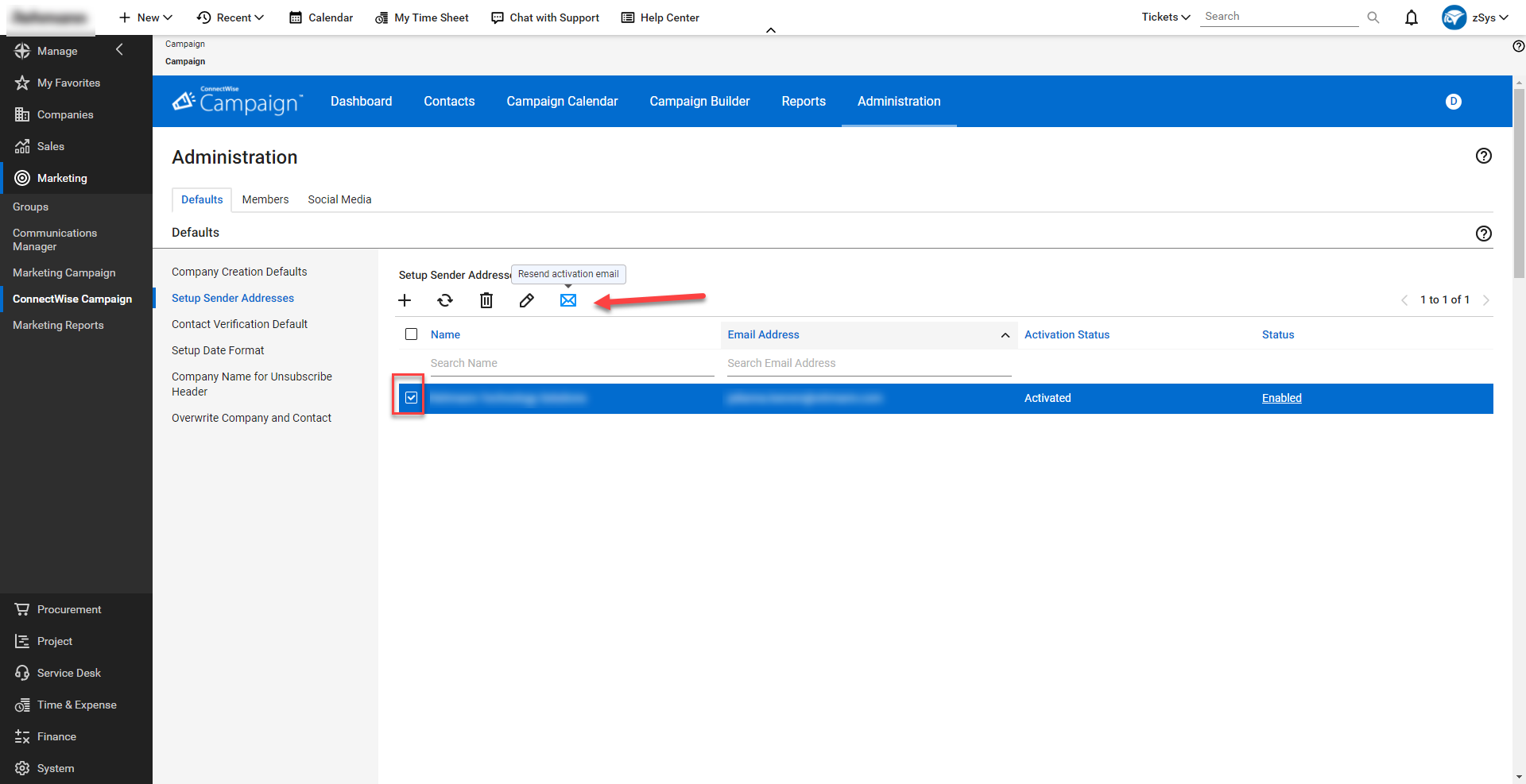
To revalidate, select the sender address, then select the “Resend activation email” icon. (Example shown to the right)
Failure to perform these could result in emails not being delivered or listed by Outlook as “Unverified Sender”.
At Visionary 360, we’re a team of experienced business coaches who help Technology Solution Providers make the most of their tools with a strong focus on financial clarity.
We’re more than consultants. We’re partners who love solving problems, simplifying complexity, and turning frustration into progress. Our clients become part of the Visionary 360 family, and we take pride in celebrating their growth and success.
There’s no greater satisfaction than seeing a partner’s business thrive—streamlined, profitable, and confident in every step forward.