


Configurations, one of the underutilized benefits of ConnectWise Manage.
Benefits of Configurations:
- Apply a higher SLA to a ticket (Increase SLA due to priority device).
- Apply a different agreement to a ticket (Supersede the applied agreement).
- Provide a higher level of reporting (Linked to service tickets showing instant history).
- Create tickets based on Service Tag (Control service usage of devices).
- Expiration date for warranty or services (Usable by workflows).
- Internal notes for the service or device (Notes stay with device or service).
- Custom note fields (Create any type of notes based on your company requirements).
- Create as many types of configurations as the need determines.
- Parent / Child configurations
Configurations have been around since Manage was conceived, however even today they are underutilized. Even with third party products such as IT Boost, IT Glue or Ocular, configurations can be used in some form.
In the early days, the most popular use for configurations was notifying someone when a service was coming due for renewal. A workflow would trigger based upon how many days before the expiration due date, resulting in an activity, email or ticket being created. A very simple method to prevent service headaches and increase sales at the same time.
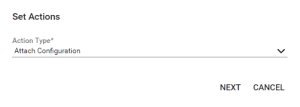
Starting with Manage version 2020.1, ConnectWise gave us the ability to automatically add configurations from workflows to tickets. A unique feature of this new function allows applying based upon contact or company. If a configuration has a specific contact attached to it, this could be used to determine if a configuration were attached automatically.
Prior to 2020.1, configurations could be applied to tickets using the Email Tagging option, however this method required matching to a precise configuration name, whereas now we can attach based upon the configuration type.

Workflows is one of the most powerful features of ConnectWise Manage. Here is a link to a ConnectWise University document to learn more.
Still puzzled or unsure in how to better utilize workflows within your company? Give Visionary 360 a call at 818-459-3950. We love workflows!




